
Buyer's guide · Pakistan
How to choose hotel management software in Pakistan.
A practical way to compare a hotel PMS, hotel ERP or connected stack without being distracted by a long feature list and a polished dashboard.
Start with fit
Decide what the new system must own.
“Hotel management software” can mean a room calendar, a full property management system, an ERP, a restaurant POS or a group-wide operating platform. Shortlisting by category label alone produces unfair comparisons and expensive surprises.
Write down the systems that will remain, the records the new platform will own and the reconciliations that must disappear. An independent hotel may want one native PMS and ERP. A branded property may be required to keep its franchise PMS and use the new system for finance, procurement, inventory, assets, people and group control.
Useful first question
“At the end of the project, which system is the source of truth for the guest folio, stock value, supplier balance, payroll liability and general ledger?”
Evaluation framework
Ten criteria that reveal operational depth.
01
Property operations
Reservations, room status, front desk, folios, groups, housekeeping, night audit and guest history should be demonstrated as one end-to-end stay.
02
Finance under the workflow
Ask whether a room charge, restaurant check, stock receipt and payroll run post into a double-entry ledger, and inspect the resulting document and journal.
03
F&B and inventory
For a full-service hotel, check POS-to-folio posting, recipes, purchasing, receiving, perpetual stock, transfers, counts and actual-vs-theoretical food cost.
04
Pakistan configuration
Confirm PKR, fiscal periods, provincial tax settings, withholding, invoice fields and the precise boundary with an appointed FBR/PRAL integrator.
05
Controls and audit
Inspect roles, segregation of duties, value-based approval, session revocation, corrections to posted records and evidence of who did what.
06
Multi-property model
A portfolio dashboard is not enough. Test whether the same person can have different roles by property and whether one customer can ever see another customer's data.
07
Integrations
List the PMS, POS, payment, door-lock, telephone, accounting and reporting systems that must remain. Name the owner, direction, frequency, failure handling and reconciliation for each interface.
08
Migration
Agree which masters, opening balances, open folios, receivables, payables, stock, assets and history will move, and how the hotel signs off the totals.
09
Implementation and support
Ask for named stages, responsibilities, training, rehearsal, cutover, fallback, response channels and the evidence required to call the project live.
10
Commercial clarity
Compare licence, implementation, migration, training, support, integrations, infrastructure, taxes, minimum term, price increases and exit costs on the same time horizon.
Demo script
Ask vendors to run the same hotel journeys.
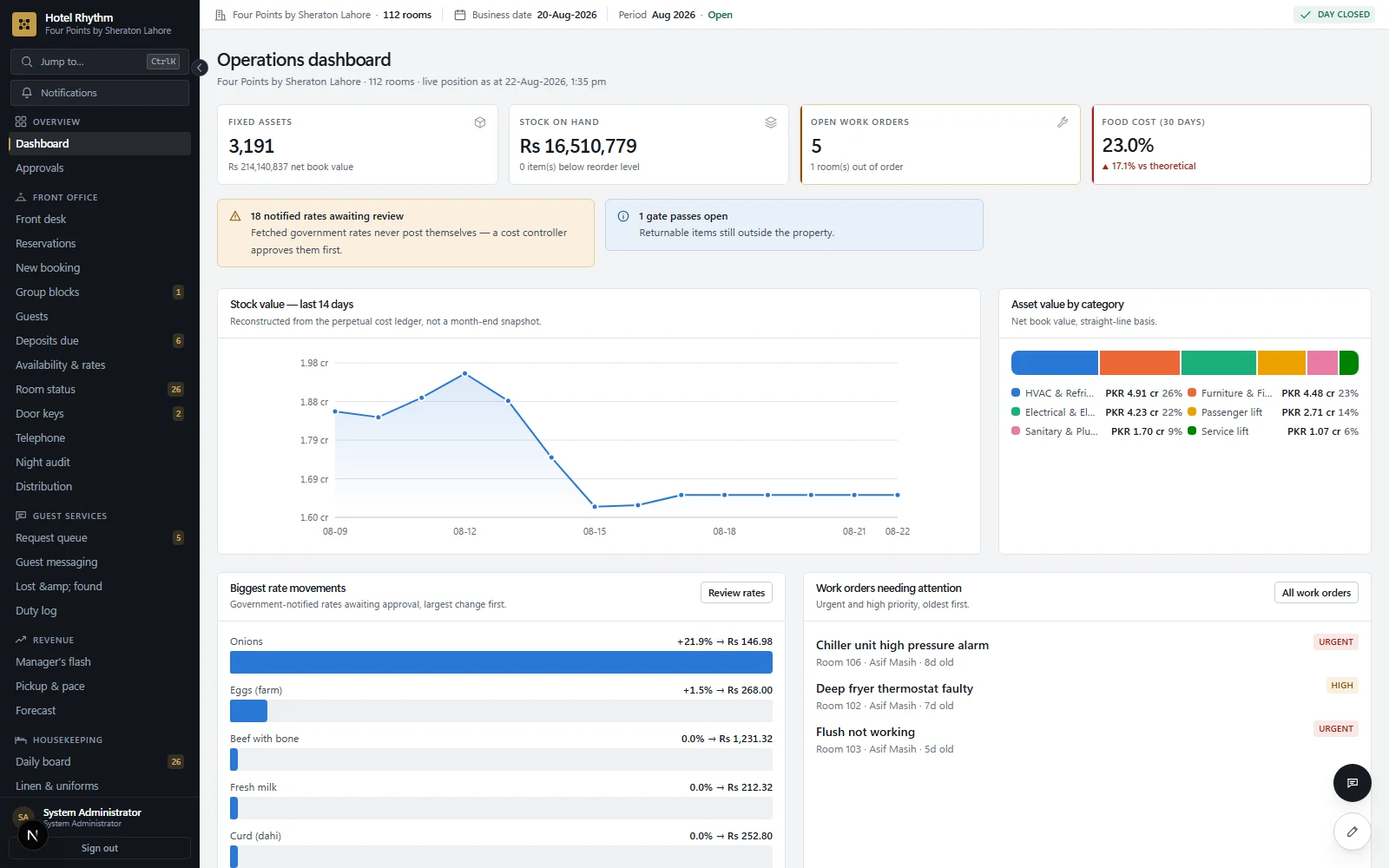
A scripted demonstration makes products comparable. Give each vendor the same scenarios and ask them to complete the work without skipping to a prepared report.
- 1Create a reservation with a deposit, check the guest in, post a restaurant charge to the room, split the folio, settle it and show the accounting entries.
- 2Raise a purchase request, collect or record quotations, approve a purchase order, receive part of it, post the supplier invoice and show stock and payable balances.
- 3Count an inventory item below book quantity, approve the adjustment and trace the effect on the stock ledger and general ledger.
- 4Report a fault in an occupied room, assign engineering, take the room out of order, complete the work and show its service and cost history.
- 5Create a user who manages two properties but can approve purchases at only one; then revoke every active session.
- 6Correct a posted mistake without deleting the original record, and show the audit evidence.
Commercial comparison
Compare the three-year cost, not the monthly headline.
A low subscription can still produce a high total cost when migration, training, integrations, hardware, support tiers or per-property charges sit outside the headline. Ask for a line-by-line commercial schedule.
| Cost area | Ask the vendor to state |
|---|---|
| Software | Base fee, property/room/user/outlet limits, taxes, term and annual increases |
| Implementation | Configuration, project management, travel and acceptance scope |
| Migration | Records included, history depth, mapping rounds and reconciliation responsibility |
| Interfaces | Build, licence, third-party charges, monitoring and change ownership |
| Support | Hours, channels, response targets, on-site work and escalation |
| Exit | Export formats, assistance, retention, deletion and any termination charge |
Hotel software cost calculator
Enter two written quotes in PKR for the same property and module scope. Leave an unknown cost blank; enter 0 only when the vendor confirms it is included or not charged.
Use totals for every property, room, user and outlet in scope. Count each fee once and include taxes and third-party charges consistently. Recurring fees are held constant; confirm renewal increases and minimum terms separately. Amounts are not saved or submitted by this calculator.
Complete both quotes to compare.
Compare the included workflows, support and acceptance terms before choosing. A lower quoted total does not establish better fit.
Red flags
Claims that deserve a second question.
“Fully compliant”
Ask which authority, rule, registration, integrator and live evidence the claim refers to.
“Everything integrates”
Ask for the exact existing connector, data ownership, error queue and a customer reference using it.
“Live in one day”
Possible for a blank small property; unlikely for governed migration, controls and interfaces.
“Unlimited”
Clarify fair-use limits, storage, performance, branches, interfaces and commercial exceptions.
No end-to-end walkthrough
Ask the vendor to complete a day-to-day hotel journey and trace the resulting records.
No correction workflow
Deleting or silently editing posted records is not an acceptable substitute for reversal and audit.
Build the shortlist
Score fit before booking the demos.
Use the readiness tool to identify whether the property needs a PMS, a deeper hotel ERP or a connected deployment. Then carry the highest-scoring problems into the demo script.
Open the free checklist